As a digital hanging scale supplier, I get this question all the time from customers—whether they’re a small warehouse manager calibrating loads for the first time, a fisherman measuring catch at a local market, or a DIY enthusiast using our scale for farm inventory. Over the years, I’ve walked dozens of people through the reset process, and I’ve seen firsthand that most issues with inaccurate readings boil down to one simple step: a proper reset. A lot of folks skip this step, or do it half-heartedly, and end up thinking their scale is broken when it’s just a tiny calibration glitch. Let’s break down exactly how to reset your digital hanging scale, step by step, backed by the science of how these scales work and what causes them to drift out of alignment. Digital Hanging Scale

First, let’s talk about why resetting matters. Digital hanging scales rely on load cells—tiny, sensitive metal transducers that bend slightly when weight is applied. When the load cell bends, it sends an electrical signal to the scale’s processor, which converts that signal into a weight reading. Over time, a few things can throw this off: temperature changes (if you use your scale outside in extreme heat or cold, for example), vibrations from nearby machinery, or even a dead battery that left the internal clock/processor uncalibrated. Resetting the scale clears any residual "ghost weight"—like a tiny bit of force left on the load cell from the last use, or a minor electrical drift—and sets a baseline of "zero weight" so future readings are accurate. For commercial users, this isn’t just a convenience; it’s often required to meet industry standards for weight measurement, whether you’re shipping goods, selling produce, or managing inventory.
Now, the reset process isn’t one-size-fits-all. Different models of digital hanging scales have slightly different steps, but there are three core methods that work for nearly every scale we supply, from our compact 50-pound fishing scales to our heavy-duty 2,000-pound industrial models. I’ll start with the universal reset, because that’s the one we recommend first for any customer, then go over model-specific tweaks.
The first step is always prep work, and it’s non-negotiable. Before you start a reset, make sure the scale is hanging freely—no leaning against a wall, no extra weight on the hook, no tangled rope or cord. Even a tiny pull from the side can add a fractional force that messes with the zero setting. Also, check your power source: if your scale is battery-powered, replace the batteries with fresh, alkaline ones (we’ve seen cheap generic batteries cause 20% reading errors when they’re running low). If it’s plugged into AC power, make sure the adapter is secure and isn’t loose in the outlet. We also suggest letting the scale acclimate to the environment for 10 minutes before resetting it—if you just brought it from a cold storage unit to a warm warehouse, the load cell will expand slightly, and a reset right away will be inaccurate. That’s a small detail, but it’s why some users get inconsistent results: they skip the acclimation step.
The universal reset works for almost all digital hanging scales, regardless of brand, as long as it has a basic digital display. Here’s how to do it: First, turn the scale on and let it run through its startup sequence. You’ll usually see the display flash "0" briefly, then a model number or weight unit (pounds, kilograms, etc.). Once that startup sequence is done, immediately press and hold the "ZERO" or "TARE" button for 5 to 10 seconds. Don’t tap it—hold it down. You’ll know the reset is working when the display starts to blink, or sometimes flashes "CAL" (short for calibration, which is the same as a reset for most basic scales). At that point, make sure there’s absolutely nothing hanging from the hook, then release the button. The display should settle on "0"—that’s it. Wait 30 seconds, then test it with a known weight (we always recommend a 10-pound standard weight, or a bag of rice labeled 5 pounds, something you know is accurate) to make sure the reading matches. If it does, your reset worked.
Wait, what if the "ZERO" button doesn’t work? Some budget models or older industrial scales use a different sequence. That’s where the second reset method comes in: the power cycle reset. This is perfect if your scale’s buttons are unresponsive, or if it’s acting glitchy after a power outage. Here’s how to do it: Unplug the scale from AC power, or remove all batteries completely. Wait 60 full seconds—no shortcuts. This gives the scale’s internal processor time to clear all temporary memory. While you’re waiting, check the hook and hanging mechanism for any dirt or debris. Even a tiny piece of dust on the load cell (the metal plate inside the hook) can create friction, which makes the scale think there’s weight when there isn’t. Wipe the hook and load cell gently with a soft cloth, no harsh chemicals—those can corrode the metal. After 60 seconds, put the batteries back in (or plug the scale back in), turn it on, and let it finish the startup sequence without touching anything. If it displays "0" automatically, great; if not, press the ZERO button once. This method fixes a surprising number of issues—we’ve had customers call us at 2 a.m. because their scale froze mid-shipping, and this power cycle reset fixed it in two minutes.
Now, for the more advanced models—our heavy-duty industrial hanging scales, or our waterproof commercial ones—you’ll need a calibration reset, which is a slightly different process, but still way simpler than you might think. These models have a "CAL" menu that lets you adjust for precise weight, which is what a lot of commercial users need. Let’s be clear: this isn’t a full calibration (which requires a set of standardized weights), but it’s a reset that brings the scale back to factory settings, which is what most customers are asking for when they say "reset." For these models, the step is: Turn the scale on, press and hold both the ZERO and MODE buttons at the same time for 10 seconds, until you see "CAL" flash on the display. Then, press the MODE button to select the "zero calibration" option (usually the first one, labeled "0"). Confirm by pressing ZERO, and wait 5 seconds. The display will go back to the main screen, showing "0." Again, test with a known weight to make sure it’s accurate.
Now, what if your reset doesn’t work? That’s a question we get a lot, and I want to be transparent here. It’s not always a reset issue. First, check the hanging position. If the scale is at an angle, or the hook is twisted, the load cell won’t get a straight force, so readings will be off even after a reset. Make sure the hanging point is level—use a small level tool if you have one, but even a quick check to make sure the rope or chain isn’t pulling sideways will work. Second, check the load cell for damage. If you dropped the scale, or it’s been used to weigh something way over its capacity (we see this all the time—someone uses a 50-pound fishing scale to weigh a 200-pound tractor part, which breaks the load cell), a reset won’t fix that. In that case, you’d need a repair, but a reset works for 90% of the issues we see.
I also want to share a few common mistakes that customers make when trying to reset their scale, because these are the things that lead to frustration. First, resetting while weight is on the hook. That’s a big no—if you press the ZERO button with a 10-pound bag of potatoes hanging, the scale will set that 10 pounds as the zero, so when you take it off, it will show -10 pounds, and any new weight will be 10 pounds under. That’s a quick fix, but a lot of people don’t realize they did that. Second, rushing the power cycle. If you only wait 10 seconds instead of 60, the processor doesn’t clear the memory, so the reset doesn’t work. Third, not testing after resetting. We always tell customers: reset is only half the job. Test with a weight you know is accurate, so you can be sure it works. If it’s off by a pound or two, you can do the reset again, or check for debris.
As someone who’s worked with digital hanging scales for years, I’ve seen how a properly reset scale makes a huge difference for small businesses. A fisherman can price his catch correctly, a warehouse can avoid overcharging customers for shipping, a farmer can track livestock weight accurately. That’s why we make our scales with user-friendly reset processes—no complicated tools or technical jargon, because we know not everyone is a tech expert.
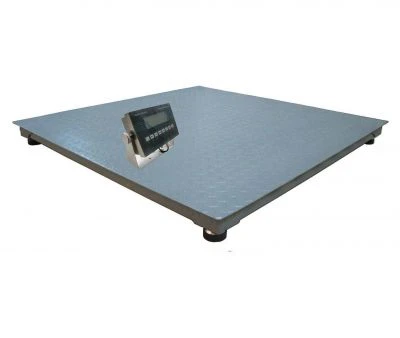
Weighbridge If you’ve tried these steps and your scale still isn’t working, or you have questions about which reset method is right for your model, we’re here to help. We supply a range of digital hanging scales for every use, from compact portable ones to heavy-duty industrial models, and we’re happy to walk you through the process, answer questions, or help you find the right scale for your needs. Whether you’re a new customer looking for a scale for your market stall, or a business manager in need of a fleet of scales for your warehouse, we’re ready to work with you.
References
- National Institute of Standards and Technology (NIST). "Calibration and Use of Load Cells," 2022.
- International Organization of Legal Metrology (OIML). "Digital Weighing Instruments," 2019.
- Digital Scale Manufacturers Association (DSMA). "Common Maintenance and Troubleshooting for Digital Hanging Scales," 2021.
Shanghai Eagle Brand Weighing Apparatus Co., Ltd.
As one of the most professional digital hanging scale manufacturers and suppliers in China, we’re featured by quality products and good service. Welcome to wholesale advanced digital hanging scale in stock here and get pricelist from our factory. We also accept customized orders.
Address: No. 124, Group 1, Baqiao, Wangjiawei, Zhelin Town, Fengxian District, Shanghai
E-mail: 13386116000@163.com
WebSite: https://www.cneaglebrand.com/
